

The Ultimate Guide to Camera Systems for Gamers and Streamers
Camera systems are no longer a niche tool for content creators. For gamers and streamers, a well chosen camera system can elevate production value, build stronger audience connection, and create a more immersive viewing experience. This comprehensive guide covers hardware choices software workflows and setup tips so you can choose the best camera system for your gaming needs. For uninterrupted coverage on gaming news and gear head to gamingnewshead.com for more expert guides and reviews.
Why camera systems matter in gaming
In modern gaming culture visuals are everything. Viewers do not just watch gameplay they watch the player. A high quality camera system captures facial expressions gestures and reactions that create personality driven content. For competitive players a reliable camera system can be used for analysis of form and technique. For developers camera systems integrated into game engines enable cinematic replays dynamic camera movement and improved cut scenes. Whatever your role in the ecosystem a camera system is a multipurpose tool that boosts engagement and professional appeal.
Types of camera systems used by gamers
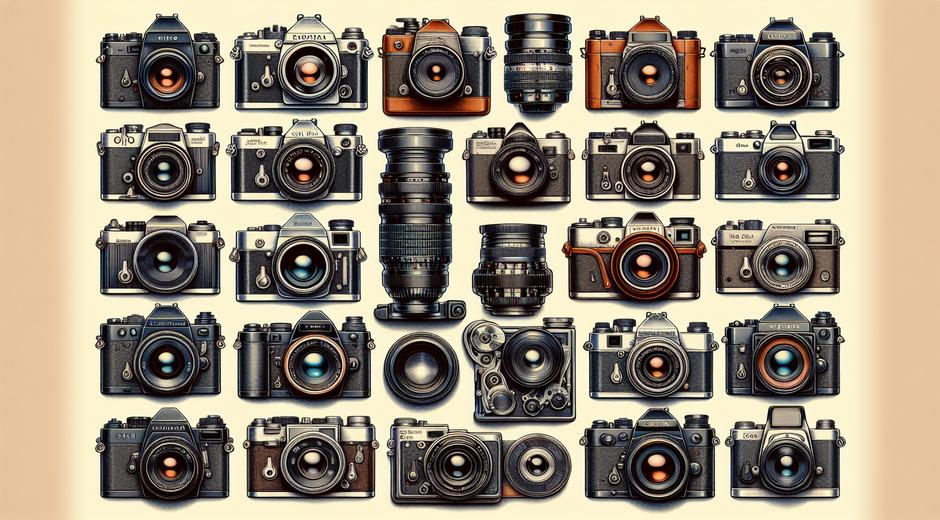
Choosing the right camera system starts with understanding the available types. Each option has pros and cons depending on budget streaming platform and intended use.
Webcams: These are plug and play and ideal for new streamers and casual creators. Modern webcams offer resolutions up to 4K autofocus and low light correction. They are compact and easy to mount on a monitor or tripod.
Mirrorless and DSLR cameras: These provide superior image quality depth of field control and better sensors for low light. They require capture cards or USB capture devices for live streaming. Mirrorless and DSLR camera systems are perfect for streamers who want a high end look with blurred backgrounds and crisp details.
Action cameras: Small rugged and capable of high frame rates these camera systems are great for POV shots VR content and mobile streaming. They handle movement well and are ideal for off rig recording.
PTZ cameras: Pan tilt and zoom camera systems allow remote control of framing. For multi camera productions or content creators who move a lot this type of system is a flexible option. PTZ cameras are common in esports studios and professional streams.
Virtual camera systems: Software based camera systems use game engine cameras or virtual rigs to record in game camera movement. These are essential for machinima content cinematic replays and developers testing camera behaviors.
Key features to evaluate
When comparing camera systems keep these features in mind to match your goals.
Resolution and frame rate: For crisp video choose at least 1080p at 60 fps for smooth gameplay captures. For cinematic or high resolution streams 4K at 30 fps or 4K at 60 fps if supported provides more detail.
Latency: A camera system with low latency is critical for live interaction. High latency leads to lip sync issues and delayed reactions that reduce viewer engagement.
Auto focus and exposure: Reliable autofocus and intelligent exposure reduce the need for constant manual adjustment and maintain consistent picture quality during dynamic lighting changes.
Compatibility: Verify that your camera system works with your streaming software and capture hardware. Popular streaming tools support most devices but advanced features may need specific drivers or plugins.
Connectivity: USB camera systems are simple while HDMI outputs typically require a capture card. Some modern cameras support USB streaming mode which simplifies setup while maintaining quality.
Setting up a multi camera system for streams
Multi camera setups provide dynamic angles and a more professional look. Here are practical steps to set up a multi camera system that enhances your stream.
Plan your angles: Use one camera for a wide shot one for a close up and an action camera for alternative views. Decide where each camera will be placed and how it will be controlled during the stream.
Synchronize frame rates: Set all cameras to the same frame rate and similar exposure to avoid jarring differences during switching. This ensures smooth transitions between camera feeds.
Use a switcher: Hardware or software switchers allow live switching between camera feeds. OBS and other streaming software offer scene collections and hotkeys to produce a polished live broadcast.
Audio sync: Ensure that your audio source is consistent across all scenes to avoid the need for post correction. Many creators use an external audio interface or mixer to feed a single clean audio track to the stream.
Optimizing lighting for camera systems
Lighting is as important as the camera itself. Even the best camera system will struggle without adequate light. Aim for balanced soft light that illuminates your face while avoiding harsh shadows. Three point lighting is a classic approach using a key light fill light and back light. For smaller setups a quality ring light or soft panel provides soft even illumination that works well for camera systems focused on close ups.
Lighting also affects how your camera system handles color and exposure. Consistent lighting reduces strain on autofocus and prevents the camera system from hunting for focus mid stream.
For ring lights and accessory options that complement camera systems check trusted sellers such as BeautyUpNest.com for lighting gear that improves on camera presentation.
Software workflows and camera system integration
Software is the bridge between your camera system and your audience. Popular streaming software offers layers scenes filters and virtual camera inputs that let you combine gameplay with camera feeds and overlays.
Use filters sparingly to enhance skin tone reduce background clutter and tune color balance. Background removal tools and chroma key work well with a clean even background and a stable camera system. Virtual camera features enable you to use camera input inside other apps for conferences and collaborations.
Recording settings matter. Use higher bit rates and constant bitrate mode when possible to preserve detail. If your camera system supports hardware encoding use it to reduce CPU load on your streaming machine.
Budgeting and choosing the right camera system
Cost varies widely across camera systems. Entry level webcams can be budget friendly while mirrorless camera systems and studio PTZ rigs can be a major investment. Evaluate the return on investment based on your goals and audience growth plans.
Consider these tiers:
Starter: A reliable 1080p webcam with autofocus and good low light performance. This is ideal for beginning streamers who need simplicity.
Intermediate: A mirrorless camera or advanced webcam plus a capture card. Add a soft panel and external microphone for better audio and lighting.
Professional: Multi camera system using mirrorless cameras PTZ units studio lighting and hardware switcher. Perfect for production teams esport broadcasts and creators with high production expectations.
Maintenance and future proofing
Maintain your camera system by cleaning lenses updating firmware and protecting sensors from dust and scratches. Keep cables organized and labeled to simplify setup and troubleshooting.
Future proof by investing in modular components that can be upgraded independently. For example a quality lens or lighting kit can be reused when you upgrade the camera body. Choose camera systems with flexible connectivity options to adapt to new software and hardware standards.
Final tips for choosing your camera system
Start with your audience goals and budget. Prioritize image quality low latency and reliable autofocus. Test camera systems in your actual streaming environment to check for lighting and background issues. Remember that audio and lighting are as important as the camera itself. Small improvements across all areas often result in the biggest boosts in perceived production value.
Camera systems are a strategic investment for any serious gamer or streamer. They help create a brand increase engagement and open doors to collaborations and sponsorships. Use the guidance in this article to evaluate options build a workflow and scale your setup as your channel grows.
If you want more gear guides and step by step setup tutorials visit gamingnewshead.com for curated reviews and hands on advice from industry pros.