

Mastering game UI design A practical guide for developers and designers
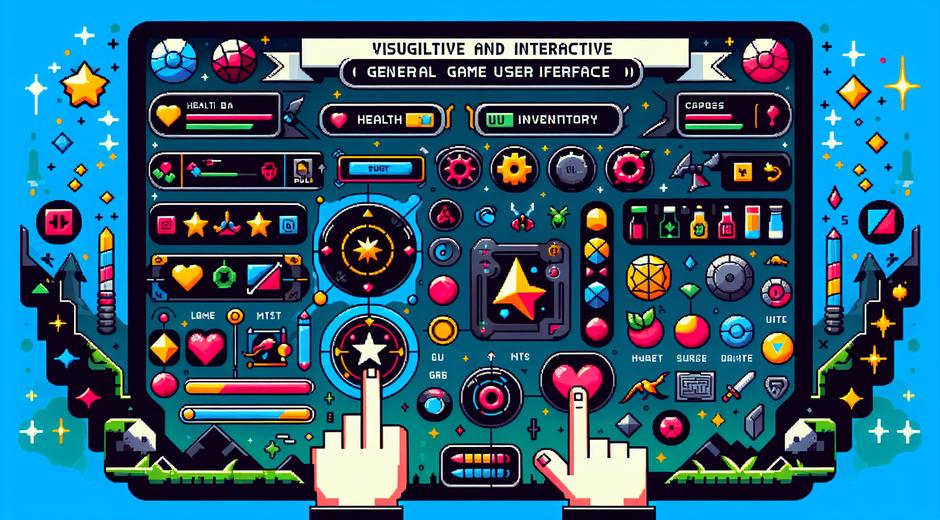
Game UI design is more than visuals and buttons It is the bridge between player intention and game world response A thoughtful interface can lift a good game into a great experience while a poor interface can frustrate even the most engaged player This guide covers core principles practical tips and industry ready workflows to help teams create intuitive and memorable interfaces for any genre
Why game UI design matters for player retention
The first moments of interaction shape player perception If the menus feel confusing or the HUD hides critical information players will leave long before they reach key content Clean game UI design reduces friction and supports player goals from onboarding to mastery Good UI also communicates game rules without long tutorials allowing designers to teach through play
On a site like gamingnewshead.com we often cover examples of games that used interface changes to boost engagement and conversion Integrating analytics with UI testing helps studios measure where players hesitate and which flows need simplification
Core principles of effective game UI design
Start with clarity Clarity means every interactive element has a clear purpose and visual weight that matches importance Use simple icons and consistent typography to help players scan screens quickly Prioritize tasks and remove anything that does not support core gameplay
Keep controls predictable Predictability reduces cognitive load Buttons and gestures should behave consistently across menus and game states Players learn patterns and expect similar responses when they repeat actions
Provide timely feedback Feedback closes the loop between action and result Sounds micro animations and visual changes tell players their input was received and what changed in the game world This feedback is essential in fast paced situations and in slower strategic moments alike
Layout readability and hierarchy
Effective layout relies on strong visual hierarchy Use size color contrast and spacing to show what matters most For heads up displays consider how much of the game world remains visible Avoid placing important elements where the eye naturally does not travel
Choose readable typography Fonts should work at small sizes and across resolutions Many consoles and mobile devices render text differently so test on target hardware Use a limited set of type faces to maintain consistency and reduce noise
Color and iconography that guide players
Color must be functional as well as aesthetic Use color to indicate state for example active selectable or disabled Avoid relying on color alone for critical information Combine color with shape or text so players with visual challenges can still interpret the interface
Icons speed recognition when they are familiar and consistent If you create a custom icon language keep a legend accessible during early sessions and refine icons based on player feedback
Accessibility and inclusivity in game UI design
Designing with accessibility in mind expands your audience and improves overall usability Offer adjustable text size contrast options and remappable controls Consider color blind palettes and provide alternatives to time based or rapid input tasks Many players appreciate subtitle options and the ability to slow animation speeds
Accessibility is not only a checklist It is a mindset that treats diverse player needs as central to the design process Inclusive game UI design increases retention and can become a competitive advantage in crowded marketplaces
Micro interactions and motion design
Micro interactions bring delight and clarity Small animations can show state transitions confirm successful actions and draw attention to critical elements Use motion sparingly and always allow players to skip or reduce motion to avoid distraction Motion can also communicate game pacing and reinforce the emotional tone of scenes
User testing and iteration
User testing is the most reliable way to refine game UI design Recruit players from your target audience and observe where they hesitate Record sessions and pair observation with quantitative metrics such as completion time error rates and drop off points Create simple prototypes that can be tested early in the design cycle to reduce costly rework
Iteration cycles should address the biggest points of friction first then refine polish elements Each test should have a hypothesis a method and a success metric This approach turns subjective feedback into concrete action items
Tools and workflows for teams
Modern design tools enable rapid prototyping and collaboration Use design systems to keep UI consistent across screens and game states Shared component libraries speed up implementation and reduce guesswork Designers and engineers should create a shared language for spacing typography and color tokens
For inspiration and creative recharge many teams look outside the industry A curated break or a short retreat can re energize teams and expand perspective For team travel ideas and planning resources check out TripBeyondTravel.com which offers options that suit small creative groups and tight schedules
Platform considerations and performance
Each platform has constraints Mobile consoles and PC differ in resolution input methods and memory budgets Optimize UI assets to maintain frame rate and responsiveness Avoid large textures for common elements and prefer vector based assets where possible Test across device families to ensure layout scales gracefully and that touch targets remain easy to press
On consoles consider controller navigation and focus order On PC support keyboard accessibility and mouse hover states Each control method should feel native to the platform while maintaining brand identity
Measuring success and ongoing optimization
Set clear KPIs for UI changes such as reduced error rate faster completion time higher retention and increased conversion for store flows Use A B tests to compare design variants and favor small incremental improvements that compound over time Heat maps session replay and funnel analysis reveal where players struggle and help prioritize fixes
Conclusion
Great game UI design is a balance of clarity function and emotion It supports player goals reduces friction and strengthens the bond between player and game world By following core principles testing early and often and keeping accessibility at the center teams can craft interfaces that feel effortless and rewarding Remember to document decisions build a shared design system and measure results to keep improving with each release For ongoing insights and community commentary visit gamingnewshead and explore case studies and interviews with leading designers