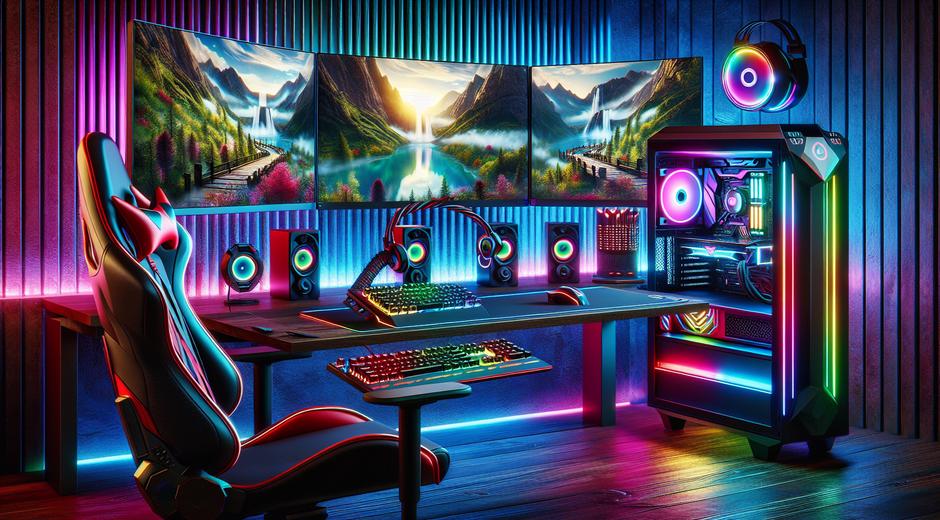


Gaming Setup Guide That Levels Up Your Play
Creating the ideal Gaming Setup is more than buying the latest gear. It is about designing an environment that enhances performance comfort and immersion. Whether you play competitive esports or enjoy long story driven sessions a thoughtful setup improves frame rates reduces fatigue and makes every session more enjoyable. This guide walks you through essential gear layout and optimization tips so you can build a setup that fits your needs and budget.
Why Your Gaming Setup Matters
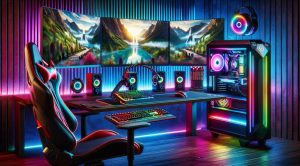
A great Gaming Setup impacts three core areas. First performance. The right components and configuration deliver smooth gameplay and stable frame rates. Second comfort. Ergonomic choices reduce strain so you can play longer with better focus. Third immersion. The right monitor sound and lighting draw you into the experience. Investing time in your setup pays off with better results and more fun.
Core Components To Prioritize
Start with the components that most directly influence gameplay. A powerful graphics unit paired with sufficient memory and a reliable processor makes a big difference. If you use a PC based system optimize settings so the graphics unit runs efficiently while staying cool. For console players focus on display quality and input latency. A strong internet connection is crucial for online play so prioritize a wired connection when possible to reduce lag.
Choosing The Right Monitor
Display choice affects clarity color accuracy and reaction time. For competitive play select a monitor with high refresh rates and low response time. For immersive single player titles choose one with wider color gamut and high contrast. Consider size and resolution based on your viewing distance and desk space. Multi monitor setups can increase productivity and immersion but require a stable graphics solution and thoughtful placement.
Peripherals That Improve Performance
Keyboards mice and controllers are direct extensions of your input to the game. Select a keyboard that matches your typing and gameplay style and a mouse that fits your grip and hand size. High quality headsets help with spatial awareness and communication. Do not overlook a reliable mouse pad and cable management to prevent drag. Small changes in sensitivity polling rate and key mapping can yield significant improvements once you find settings that feel natural.
Desk Chair And Ergonomics
Ergonomics is essential for comfort and long term health. Choose a chair that supports your lower back and allows your feet to rest flat on the floor. Position monitors so the top of the screen sits at eye level to reduce neck strain. Keep keyboards and mice at a height where your forearms remain parallel to the floor to avoid wrist stress. Simple adjustments often yield big gains in comfort.
Cable Management And Clean Layout
A clutter free workspace reduces distractions and improves airflow around components. Use cable ties and routing channels to hide cords. Keep power units off the floor to avoid dust buildup. A neat setup not only looks professional but also makes maintenance easier and can extend the life of your equipment.
Lighting And Ambiance
Lighting sets the mood and can reduce eye strain in dark rooms. Soft bias lighting behind a monitor helps reduce contrast between screen and room. RGB lighting is popular for aesthetics but focus on indirect and adjustable lights so you can change ambiance without causing glare on the screen. Sound plays a big role too. Acoustic panels or soft furnishings reduce echo and improve audio clarity for both in game sound and voice chat.
Optimizing Network And Streaming
Network performance influences online gameplay and streaming quality. Use wired ethernet when possible and configure quality of service settings on your router to prioritize game traffic. If you stream content plan your encoding settings so your broadcast looks good while your local gameplay remains smooth. Properly set up overlays and scenes for a clean on screen presentation that does not distract your audience.
Budget Friendly Gaming Setup Tips
You do not need to spend a fortune to have a great Gaming Setup. Focus spending where it matters most. Invest first in a reliable display and a responsive input device. Upgrade other components like storage and sound gradually. Consider second hand options for less critical items or buy refurbished gear from trusted sellers. DIY options for cable management and lighting can deliver big visual improvements at low cost.
Advanced Upgrades To Consider
As you refine your setup consider upgrades that increase longevity and performance. Additional memory and faster storage reduce load times and improve multitasking. Cooling upgrades keep components stable under load. If you use many peripheral devices add a powered hub to reduce strain on a single port. For streamers a dedicated capture unit and a professional grade microphone improve production quality.
Maintenance And Routine Care
Regular maintenance extends the life of your setup. Clean dust from fans and vents every few months and check cables for wear. Keep drivers and firmware up to date to ensure compatibility and performance. Back up important game saves and settings so you can recover quickly after hardware or software issues. A small maintenance routine prevents many common problems before they become serious.
Designing A Setup That Grows With You
Think long term when choosing furniture and components. Select a desk with room for growth and a chair that supports a variety of body types. Modular gear lets you upgrade one piece at a time which spreads cost and reduces waste. Planning for expansion keeps your setup current without forcing a complete overhaul each time you want an improvement.
Where To Learn More And Find Deals
If you want ongoing guides reviews and hands on tutorials visit gamingnewshead.com for regular updates and curated recommendations. For related lifestyle and travel offers that pair well with gaming events and tournaments check offers at TripBeyondTravel.com where you can find packages and tips to make an event trip more enjoyable.
Final Thoughts
Building a great Gaming Setup is a balance of performance comfort and aesthetics. Start with core components then refine ergonomics cable management lighting and network performance. Make incremental upgrades and maintain your gear to maximize value. With the right approach your setup becomes a space that supports better gameplay longer sessions and deeper immersion.