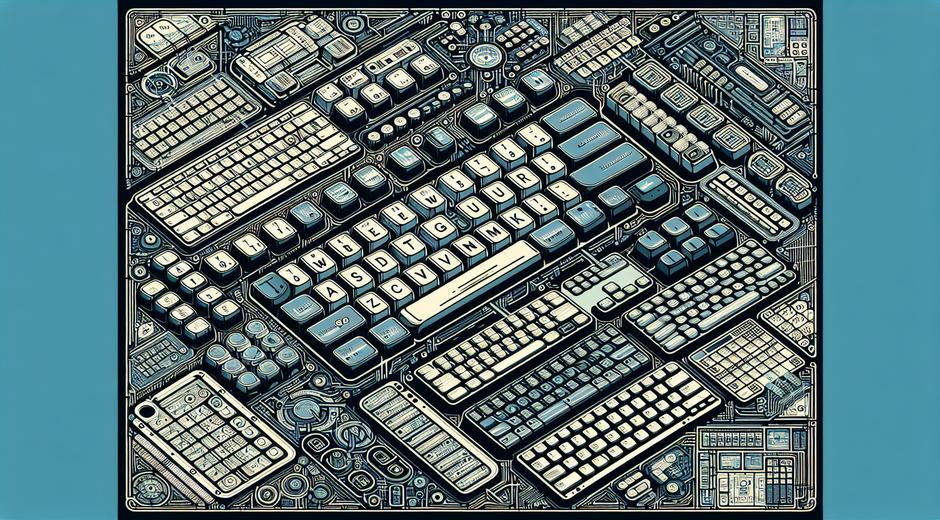


Keyboard Layouts The Ultimate Guide for Gamers
Choosing the right keyboard layouts can be a game changer for players of all skill levels. Whether you are a casual player or a professional competitor in esports the arrangement of keys on your keyboard affects comfort speed and accuracy. In this guide we cover the most popular keyboard layouts why they matter for gaming and how to pick or build a layout that matches your play style. For regular updates on gear reviews and strategy guides visit gamingnewshead.com where we dive deep into hardware and performance tips.
What are keyboard layouts and why they matter
A keyboard layout is the pattern of keys and characters on a keyboard and the mapping that sends input to your computer. For gamers the focus goes beyond typing speed. Layouts define where important keys like movement controls macros and hotkeys live. Good layout choices reduce finger travel time improve reach for critical keys and prevent fatigue during long sessions. Many players stick with a default layout but small changes can deliver big gains in comfort and reaction time.
Common keyboard layouts explained
There are several widely used keyboard layouts each with distinct pros and cons. Here are the main options to consider.
- QWERTY This is the standard layout on most keyboards. Gamers tend to stay with QWERTY because it is familiar and supported by default in most games. Movement keys like W A S D are in a familiar cluster which makes QWERTY easy to use for many genres.
- AZERTY Common in some regions this layout places certain letter keys in different positions. It is less common among gamers worldwide but can be the default for players in specific locales.
- Colemak A modern layout designed to reduce finger movement for typing. Some gamers who type a lot choose Colemak for its efficiency while keeping gaming controls reachable with minimal retraining.
- Dvorak A layout optimized for typing speed and comfort. Dvorak can be an odd choice for gaming because many key locations change considerably but some players adopt it for overall ergonomic benefits.
- Custom layouts Many gamers create a custom layout by remapping keys or using custom profiles. This approach unlocks the most tailored experience and is common among players who use a lot of macros or require unique control schemes.
How keyboard layouts affect gaming performance
Keyboard layouts impact several core aspects of play. Reaction time benefits when high use keys are close to your strongest fingers. Precision improves when you can place fingers on housekeeping keys without looking. Fatigue is lower when repeated motions are ergonomically friendly. Below are key ways layout choice influences performance.
- Movement and aim For shooter games the placement of movement keys relative to other keys like crouch jump or sprint is crucial. A layout that clusters these keys makes complex maneuvers smoother.
- Macro and skill access In many strategy and role playing games speed matters when casting spells or issuing commands. Logical placement of macros reduces the time between decision and action.
- Multi task control In games that require chat or productivity while playing having a layout that supports quick typing without breaking flow helps maintain focus.
- Comfort over long sessions Ergonomic layout choices lower risk of strain and make long practice sessions more productive.
Choosing the right layout for you
Selecting the best keyboard layouts starts with understanding your needs and goals. Follow these steps to make a practical choice.
- Analyze your genre and key needs First person shooters require different key clusters than real time strategy or simulation titles. Map out the keys you use most and test layouts that bring those keys closer to your dominant hand.
- Test before you commit Many operating systems let you switch layouts on the fly. Try a new layout for a week in casual sessions before making it your main setup. Muscle memory adapts but gradual change reduces frustration.
- Use hardware that supports remapping Gaming keyboards with onboard memory or software profiles let you switch layouts per game. This flexibility is ideal if you play multiple genres.
- Consider ergonomics If you experience discomfort try small adjustments like moving thumb keys or using a split layout. Even simple changes to key height and angle can improve comfort.
Custom layouts and software tools
Custom layouts give you ultimate control. Popular tools let you remap keys create layered functions and assign macros to single keys. For Windows users tools like AutoHotkey provide powerful scripting for advanced remaps. Mac users can use a range of utilities to create custom keyboard profiles. Many gaming keyboards include manufacturer software to assign macros lighting and layout profiles that load per game.
When building a custom layout keep a few principles in mind. Group related actions near each other. Reserve a cluster for movement and another for utilities. Use modifier keys smartly to reduce the number of unique key presses needed. Test your layout in live play and refine it based on actual use rather than theory.
For ergonomic accessories and guides that help you pair the right keyboard with wrist supports and pads see trusted resources that review comfort products and lifestyle tips at BeautyUpNest.com which highlights tools to improve posture and reduce strain.
Advanced tips for gamers
Here are targeted tips to get the most from your keyboard layouts.
- Create game specific profiles Assign unique layouts to games that require special control schemes. This avoids conflict between titles and gives you an optimized setup per game.
- Train deliberately Practice key sequences in training maps and routines. Deliberate practice speeds up the learning curve for a new layout.
- Use tactile cues Consider keycaps with textures or different shapes for home row keys. Physical cues help you find keys without looking and speed up response time.
- Monitor comfort Track any discomfort and adjust layout or posture if issues arise. Prevention of strain is always easier than recovery.
Final tips and next steps
Keyboard layouts are a powerful but often overlooked element of gaming performance. By understanding the options experimenting with custom setups and using the right tools you can reduce fatigue and improve speed. Start small try one meaningful change and measure the impact on your play. If you want collection updates and more in depth guides on peripherals visit our main site for fresh content and gear reviews gamingnewshead.com as well as partner reviews for comfort and wellness tools at BeautyUpNest.com.
Remember that the best layout is the one that fits your hands your games and your goals. With careful testing and small adjustments you will find a setup that keeps you comfortable and sharp in every match.