

Local Multiplayer Guide for Gamers Who Want to Play Together
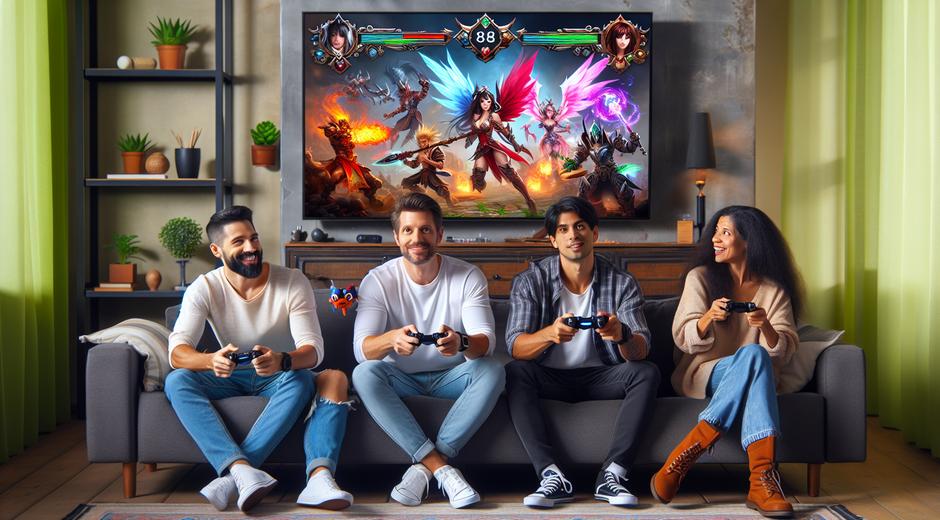
Local Multiplayer is more than a game mode. It is a social engine that turns an ordinary evening into a memorable event. From classic arcade cabinets to modern consoles and PC titles that support multiple controllers, Local Multiplayer keeps players in the same room engaged, laughing and competing. This guide explores why Local Multiplayer matters now more than ever and offers practical tips to build the best in room experience.
Why Local Multiplayer Still Matters
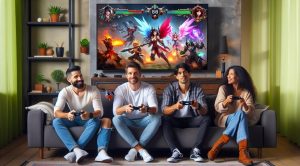
In an age of remote play and global servers the appeal of Local Multiplayer is deeply human. Sitting shoulder to shoulder with friends or family creates spontaneous moments that online matches rarely reproduce. Face to face interaction amps up the drama of every victory and the sting of each defeat in a way that chat windows and avatars cannot match. That visceral connection makes Local Multiplayer invaluable for parties family gatherings and casual competitions.
Benefits of Choosing Local Multiplayer
Local Multiplayer shines in several areas. It lowers the barrier to entry since no network setup is required. It fosters communication skills because players talk strategy trash and encouragement in real time. It encourages a sense of community and inclusion as newcomers can be welcomed instantly. It also suits short sessions where players want a quick game without investing in long online campaigns. Beyond entertainment it supports nostalgia for arcade style play and is often used by streamers and content creators to generate lively group content.
Popular Local Multiplayer Game Types
Local Multiplayer spans genres and styles. Some of the most enduring categories include:
- Party games that are easy to learn and quick to play
- Fighting games that reward skill and timing
- Racing games that deliver fast paced competition
- Cooperative games that require team work and coordination
- Sports simulations that recreate classic matches with friends
Designers often optimize Local Multiplayer for short intense sessions so players can jump in and out without frustration. The variety means there is always a match that fits the mood whether the group wants friendly chaos or a serious test of skill.
Hardware and Setup Tips for Smooth Local Multiplayer
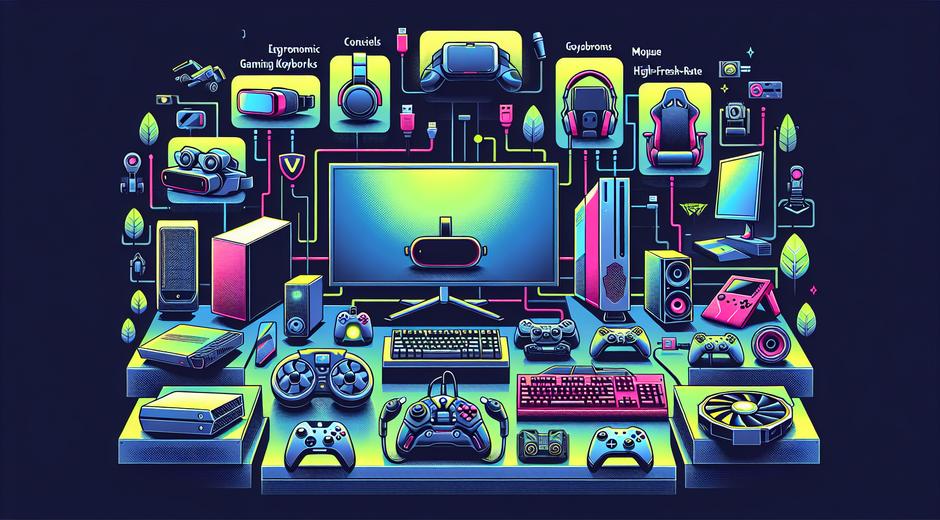
Having the right hardware improves the Local Multiplayer experience. Reliable controllers are essential. Consider wired controllers when latency or battery life is a concern. If using wireless controllers ensure batteries are charged and that the host system supports all controllers simultaneously. For PC players invest in a quality USB hub if many controllers will be connected because some systems limit the number of active devices on a single port.
Display setup matters too. A large screen with good viewing angles makes it easier for all players to follow the action. For split screen titles place seating so each player has a clear view of their portion of the display. Also pay attention to audio. Shared speakers work for casual parties. For tournaments provide individual headsets when communication or separate audio channels are needed.
Best Local Multiplayer Games to Try Right Now
There are countless Local Multiplayer titles across platforms. Some deliver instant pick up and play fun while others reward hours of practice. Popular picks include fast action party titles vibrant couch competitive games and deep co op challenges. Choosing games that match your group size and skill level is key. For curated lists reviews and hands on recommendations visit gamingnewshead.com where trends and top picks are updated regularly to help you find the perfect match for your next gathering.
Design Principles for Great Local Multiplayer
Great Local Multiplayer experiences follow a few design principles. Balanced mechanics ensure all players feel competitive. Clear rules keep the session fair and conflict free. Smooth controls reduce frustration and allow players to feel in control. Finally focus on shared experiences not just individual stats. Moments that create laughter stories and rivalry are the ones players remember long after the controller is put away.
How to Host an Amazing Local Multiplayer Night
Hosting is half event planning and half technology setup. Start by choosing games that appeal to most of the group. Establish a simple rotation system so everyone gets a turn without long waits. Keep snacks and drinks easily accessible to minimize interruptions. Have spare controllers and backups for common hardware problems. Warm up matches help new players learn mechanics before entering competitive rounds.
Mood matters. Set a playlist and comfortable lighting to match the tone of the event. For family friendly gatherings prioritize accessible games that welcome all ages. For competitive nights focus on games that offer skill based progression and clear scoring to keep matches exciting.
Troubleshooting Common Local Multiplayer Issues
Even with careful planning issues can arise. Common problems include controller connection conflicts input lag and display or audio mismatch. Address these by checking device drivers and system updates before the event. Test all controllers and ports. For split screen synchronization issues try reducing graphic settings to improve performance. Use simple seating rearrangements to fix visibility disputes and clear rules to settle scoring disagreements quickly.
Where to Find Local Multiplayer Events and Communities
Local Gaming Nights and community meetups are growing in many cities. Search social communities and local game stores for organized nights and tournaments. University clubs and community centers often host weekly events that welcome new players. Social media groups still remain one of the best ways to discover upcoming gatherings and shared resources for Local Multiplayer fans.
Training Your Mind and Focus for Competitive Local Multiplayer
High level Local Multiplayer demands attention and steady nerves. Mental focus and quick decision making matter for players who want to improve. Training routines that emphasize reaction time pattern recognition and calm under pressure can make a clear difference. For practical strategies to enhance focus and maintain peak performance before and during matches consider visiting FocusMindFlow.com where techniques and exercises are tailored to help gamers sharpen concentration and reaction under stress.
Future Trends in Local Multiplayer
Local Multiplayer will continue to evolve as developers explore hybrid models that mix local and online play new control schemes and immersive display technologies. Expect more titles that allow seamless transitions from solo online modes to local sessions. Advances in input technology and cloud assisted rendering may make it easier for more devices to host rich Local Multiplayer experiences without heavy hardware requirements. The core appeal remains the same though the ways to play will expand and diversify.
Conclusion
Local Multiplayer delivers unique social value that no online match can fully replicate. It brings people together creates memorable moments and fosters communities. Whether you are a casual player a tournament organizer or a content creator Local Multiplayer offers endless ways to connect and compete. With the right games hardware and a bit of planning you can create events that keep players coming back. Explore curated picks and hands on guides at our site and try the mental training techniques that help you perform at your best during every session.
Now turn on the console gather the crew and make your next game night unforgettable with Local Multiplayer.